

I have had a hell of a month or so. I use several different pieces of Adobe software as an aspiring creative and have done for the past 2 years as I have had access to the full Adobe suite as a student. Until, that access at home was just cut off overnight with no solution in sight due to restrictive Adobe licensing.
That led me on the path of looking at alternatives. And well, I think it just shows probably one of the small reasons people rely on Adobe: it just works. You do not have to fiddle with stuff or hope it works, it just does. With other software, that is simply not the case. I feel like this may come across as a very whiny article, especially because I’m mentioning only free resources, I apologise if that reads that way. And I apologise if this is not well researched in places, I’m just frustrated that restrictive Adobe licensing has left me without access to Creative Cloud at home.
Why am I writing this in the first place?
I decided to write about why alternative solutions need to support newer camera equipment better due to the several issues I’ve had with programs recognising the output from my R50 V. The Canon EOS R50 V is one of the cheapest mirrorless cameras Canon currently sells, targeted at vloggers, and it has been on the market for 1.5 years at this point (releasing in March 2025).
You would think this amount of time would be long enough for decent software, especially with it being accessible to get at US$649 for the body? You would be wrong. Let me show you.
RAW Software
The main thing that I use a lot right now is RAW editing software. Sure, it’s not exactly what the camera is intended for (as said previously, it’s more video focused), but it’s a great photo shooter. I have tried 4 different pieces of software as an alternative to Lightroom, and only one of them worked (and not well either).
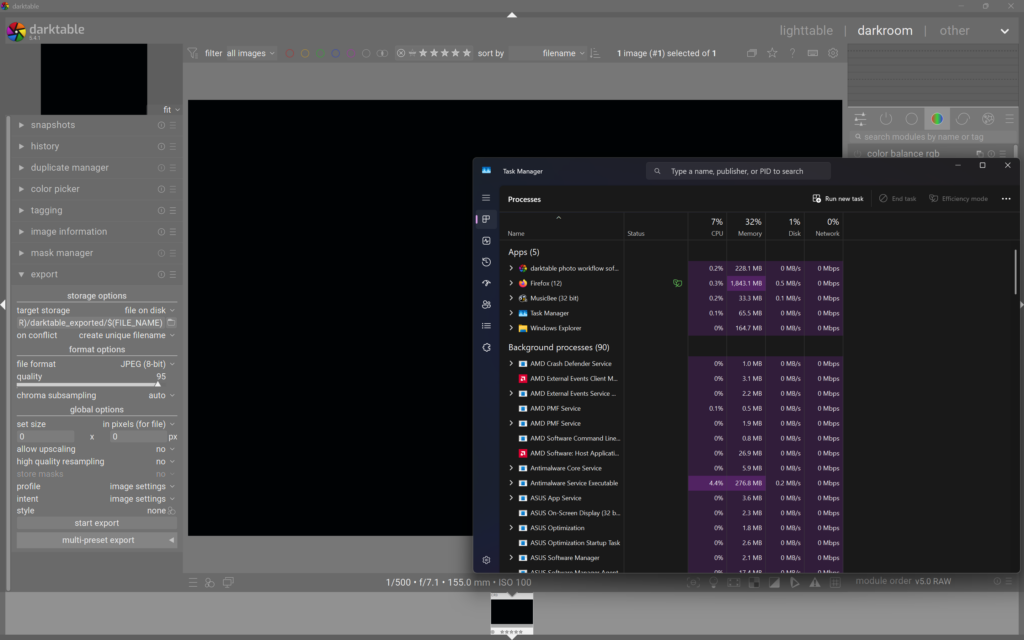
I started with Darktable. I was met with a black screen (and a warning as well to be fair). This was the one I was most used to as well… Reading up on this, it looks like they are making progress to be fair and it could pop up in an update in a couple of months. I was not aware that there is a process for submitting RAWs from the camera too at different settings. Worth mentioning that this is a free and open source software as well.
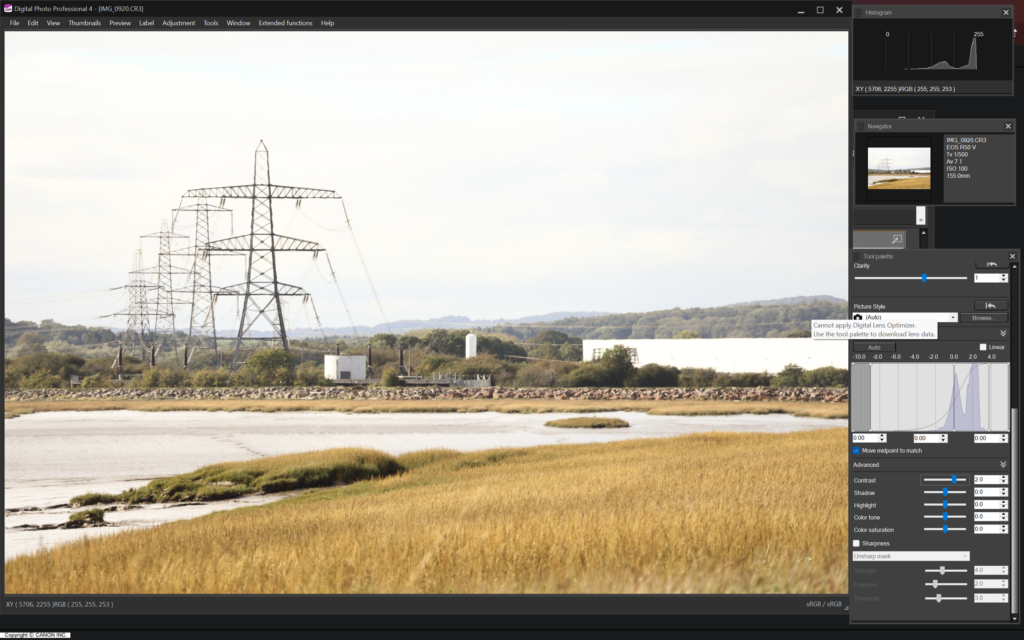
I then approached one of the 2 pieces of software that actually worked. Canon Digital Photo Professional 4. Certainly a bit of a mouthful to say and from my experience with using it, Canon can not make good software. First of all, Canon still insists that you provide your camera’s serial number when downloading the software. I don’t see why this is necessary, but OK. Then, get prepared to deal with the most complicated UI out of all of them, taken straight out of 2 decades ago. The performance matches too, on my laptop, I ended up finding the software would respond 1-3 seconds after moving the slider. This is on a relatively recent laptop with AMD Radeon 890M graphics. I don’t call that a fun editing experience.
I found out that Photopea would open RAWs then and proceeded onto that, but it just flat out refused to work.

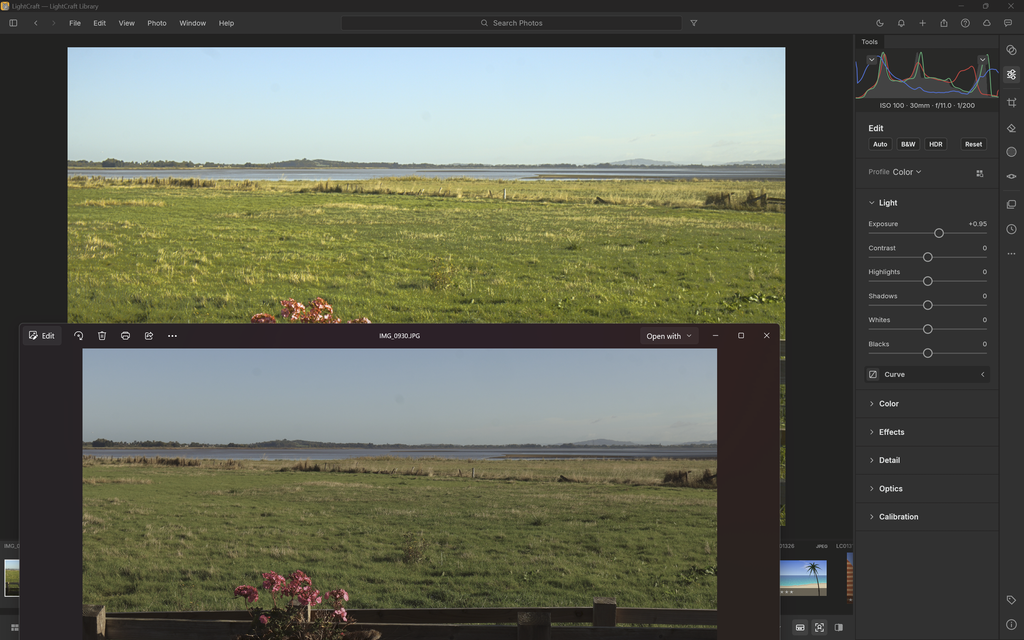
After that, I ended up going to the dark side and seeing if the AI generated Lightroom alternative would do anything. That did actually open it up at least: I had a preview, no error messages. But very quickly, disappointment strikes again. Whilst it was showing a preview and was responsive… the preview simply looked odd. A simple exposure buff just did not look right, it was brighter but it looked as if I had messed with something like Levels honestly.
As soon as it looked like that, I immediately deleted it.
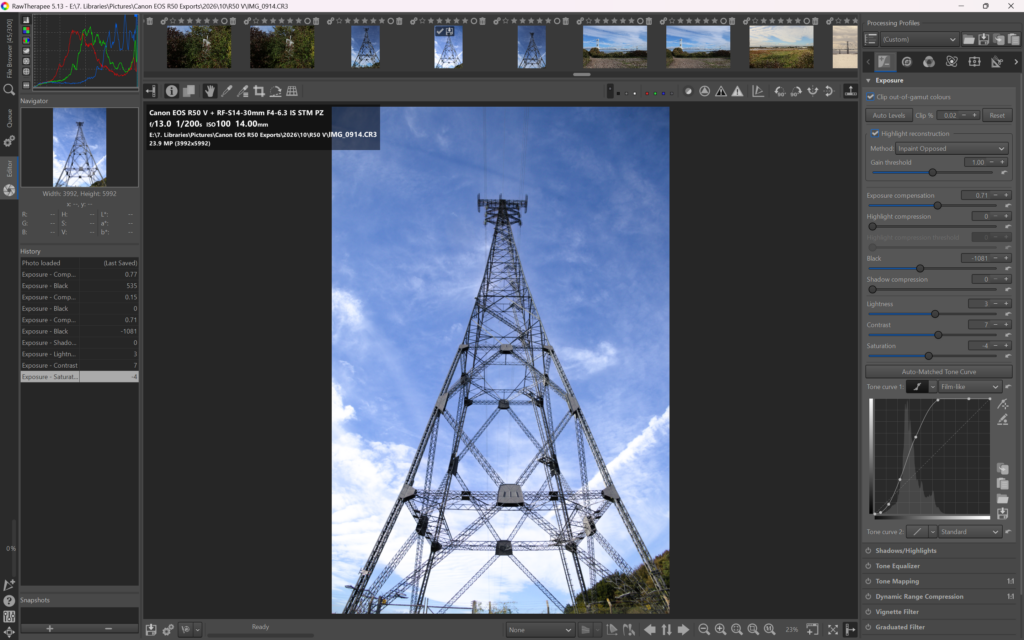
On a last minute note, I was encouraged to try RawTherapee and that does actually open things up and displays everything correctly (worth saying everything above was tested in October 2026). The controls don’t feel unresponsive and the UI isn’t too awkward from a first glance. I wish I did not have to jump between 4 different pieces of software just to find a working, responsive piece of software though, it’s not an ideal situation. I’ll probably end up uninstalling the official Canon software after publishing this.
I’m hoping that the fact that RawTherapee supports it means that Darktable also might see support soon. I’m not sure how long it has been supported for on Therapee but I’m guessing a few months.
Video Editing Software
As a camera primarily intended towards vloggers, I also utilise my R50 V for as you guessed: recording videos. I’m not a vlogger, but I do capture videos on my camera. I wanted to try and edit a small assortment of clips together recently, just to get myself used to using Resolve again. It’s definitely odd touching Resolve again to be honest.
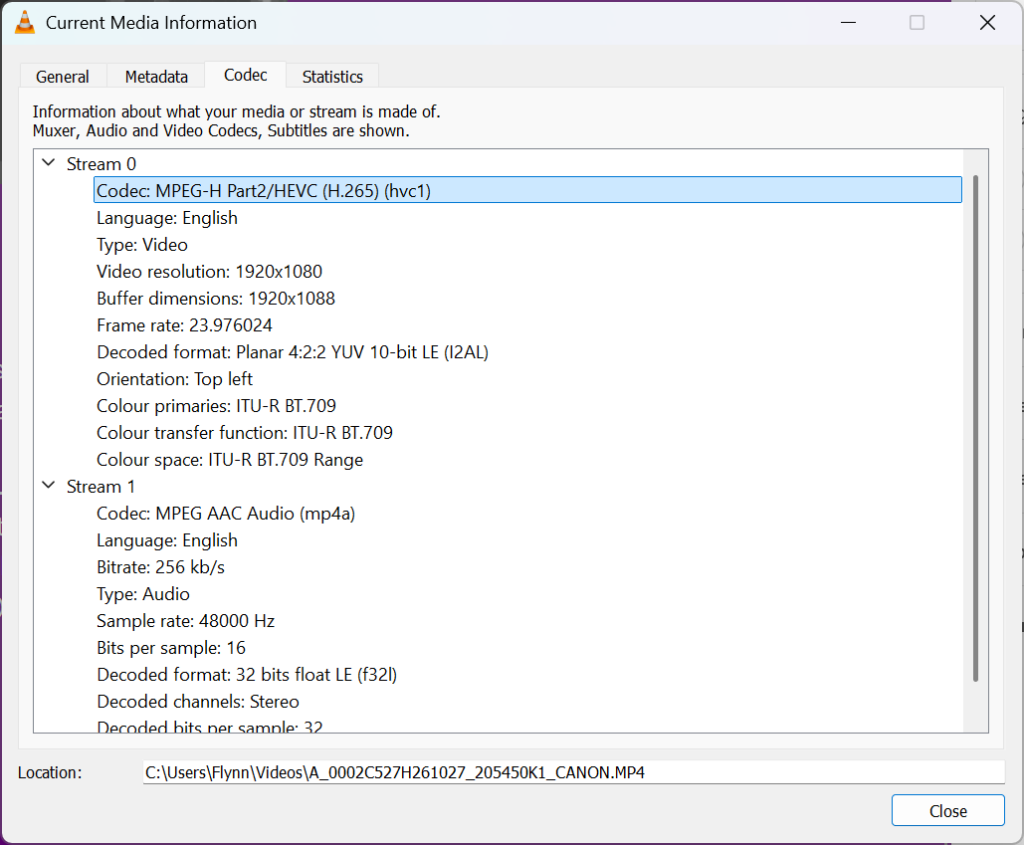
I’ve never had an issue before with Resolve, but once again issues hit. My R50 V is set to save in H.265, using the BT.709 colour space and I have it set to shoot in 10bit colour. I don’t think that’s non standard, I’ve attached a screenshot from VLC quickly (also just a recommendation: don’t open H.265 video in VLC, it’s awful, get MPV1).
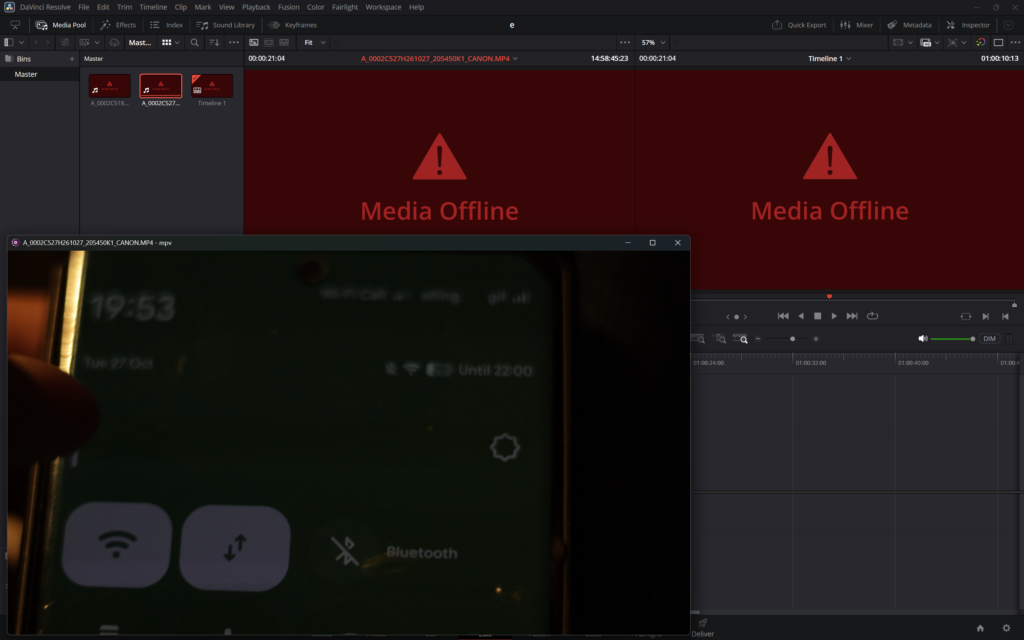
I don’t know what other free editors there really are to be honest, and if we’re being honest, Resolve is probably one of the only free options that is actually seen as professional. I hear CapCut is quite a good editor and might work, but do I really want to be using a piece of software owned by Bytedance (at least the last time I checked)? Probably not.
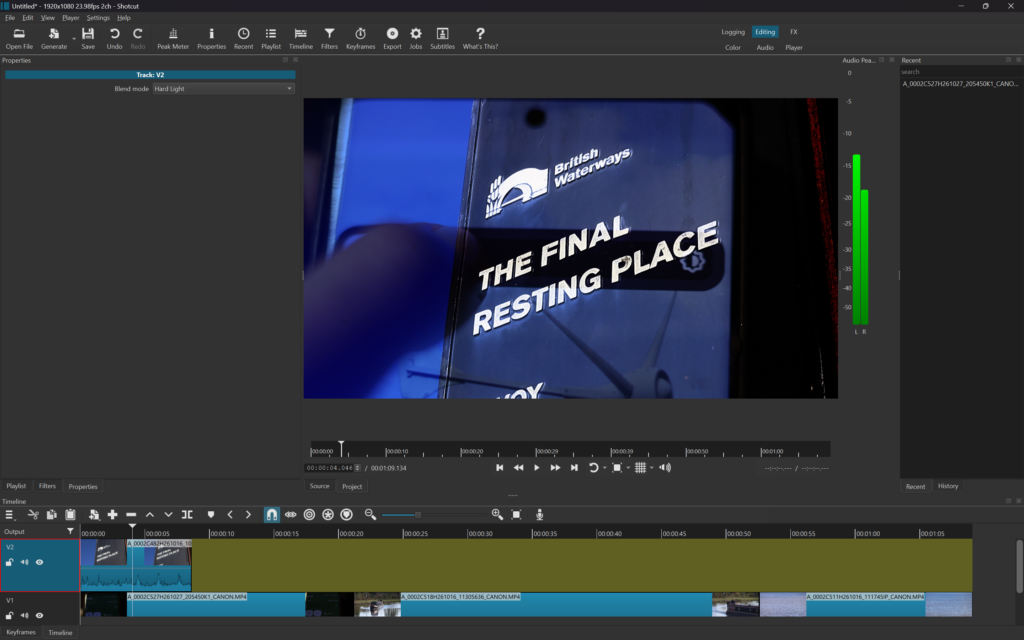
I do have Shotcut laying around on my hard drive, and to be fair, that worked straight away. I haven’t used it before though and it is harder in my view to learn a new video editing software (especially considering the interface doesn’t look the easiest2). It also looks like the preview when scrubbing the timeline only changes when you’ve stopped moving. I was able to build up a very basic edit though, with the H.265 files that other software don’t want to open.
I apologise if this post came across as poorly written or whiny in places, but I just wanted to vent my frustration. It is ridiculous that software that people consider to be industry standard (DaVinci Resolve) cannot open a video file from a camera properly3 and it’s ridiculous I had to bounce between 5 different pieces of RAW software to find something usable. Like I said at the start, the camera was released a year and a half ago, not 3 months ago.
To be fair, the whole situation I’m in is ridiculous altogether, I’m a higher education student and my facility cannot acquire licenses to use Adobe software at home due to restrictive licensing. Paying £16 to £32/month is not feasible for some people when they have to balance other costs.
I hope this article is at least helpful to some extent, perhaps stumbling into the same issues as me (highly unlikely I’ll reach anyone but you never know). Take care.
Footnotes
- I don’t believe VLC supports hardware rendering on H.265 video or something like that, which means you can’t really use it to watch back stuff at higher than 1080p. Working with 4K H.265 footage in VLC just isn’t possible unfortunately. MPV is a pretty cool app though after being recommended it. ↩︎
- As a quick example, it was odd seeing audio inside of a video track in the way that Shotcut does it, usually in other software it shows as a separate track linked to the video. I found applying adjustments was a bit of a weird UI. ↩︎
- From what I understand, it sounds like it might work on the paid version but it doesn’t on the free version and you have to rely on having the HEVC Media Extensions app on your computer (which I do have, laptop came with it but Media Player doesn’t open the files either). ↩︎
Leave a Reply