
Since Vodafone and Three have merged together, there has been a lot of work to integrate both networks sites together through something known as multi operator core network (MOCN). This allows you to easily switch between Vodafone and Three towers without having to fiddle with phone settings. Sometimes, you might want to know whether you are on a Vodafone or Three tower and this is hopefully the simplest way to tell.
To start, you will need some way to check the cell ID and TAC of the tower you are connected to. The simplest option for most Android devices is using NetMonster. For iPhone, you’ll need to enter field test mode through typing *3001#12345#* into your dialler (although please note this can be inaccurate).
For 4G, the best way to tell whether you are using a Vodafone or Three site is by checking the tracking area code (TAC) of the site you are currently connected to. The TAC is simply a code for the general area that the transmitter is in1 but the reason why this is useful is because all networks use different values for their TACs in areas2.
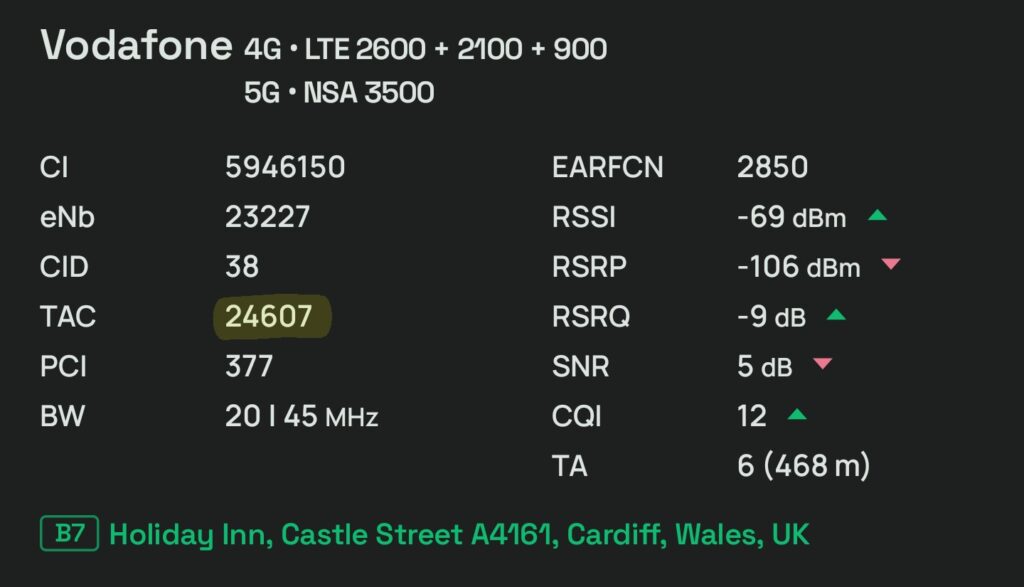
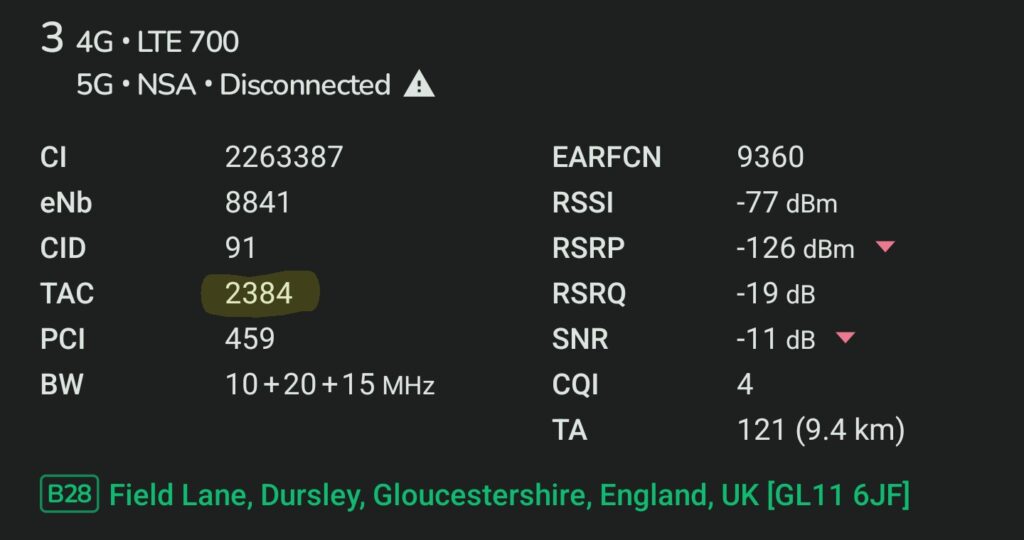
On Three since the 3G switchoff, TACs in any area will never go above 4000. And from what I’ve observed on Vodafone, I’ve never seen a Vodafone TAC go below 4000. So that works out pretty well for telling what network a 4G site is on. If the TAC is over 4000, it will always be Vodafone and if it’s below, it probably is Three. Here’s an example of this in NetMonster (you can ignore the other bits of information since they aren’t relevant).
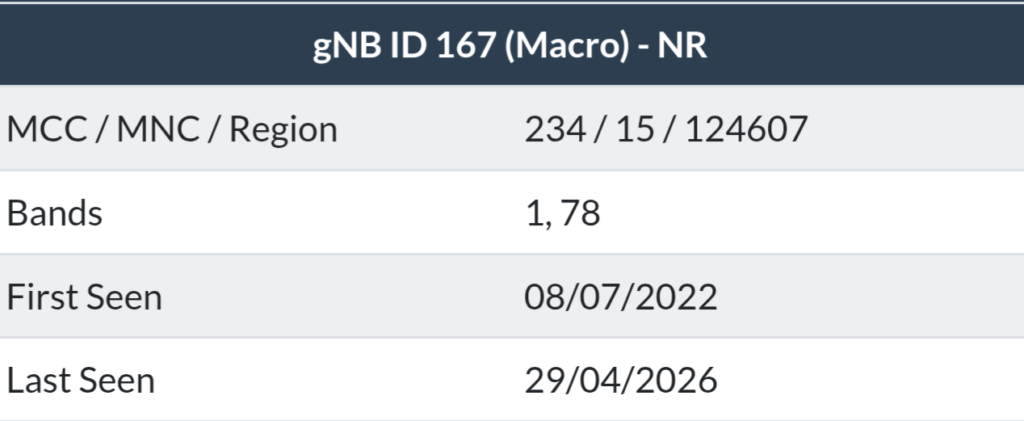
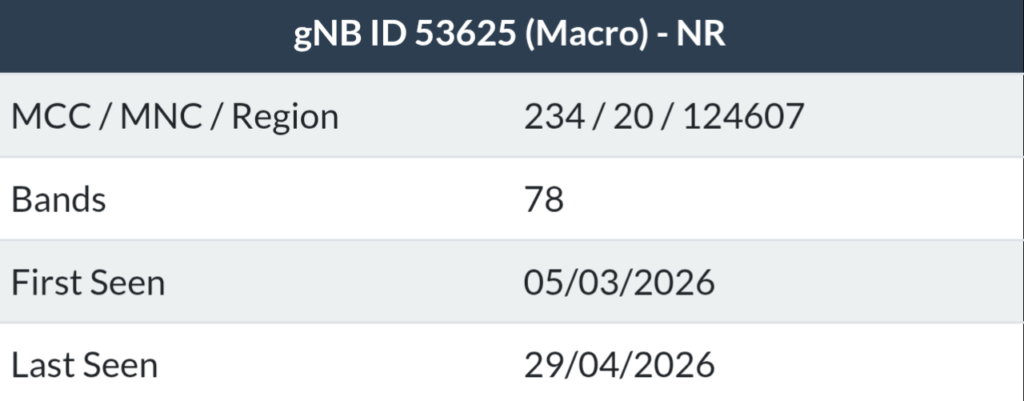
However, 4G isn’t the only technology that MOCN is enabled for. If you’re a Vodafone 5G Ultra customer3, Three is doing 5G Standalone4 MOCN on some sites despite not having a standalone network. The TAC method does not work here, given SA from both Vodafone and Three sites in the same area will use the same TAC. So instead, we need to look at the gNB. A gNB is essentially a unique identifier for the tower you’ve connected to in most cases and again this varies between networks. If you’re using NetMonster, this should just show. But if you’re using another solution you will need to copy the cell identity number into a calculator and divide by 16384. You can round down to the nearest whole number to get your gNB.
Anyways, with gNBs, Vodafone and Three use a different numbering pattern. Right now, any Three gNB seems to be over 50000, meanwhile Vodafone gNBs currently range from around 100 or so to around the 23000 ranges. So, we can confidently assume that any gNB under 50000 is a Vodafone site and any gNB over 50000 is a Three site. I’ve attached some examples of Vodafone and Three gNBs below.
And just in case this does get asked at all: 2G cannot be on MOCN. That is for Vodafone only.
If you want to double check whether you are on a Vodafone or Three tower, you can also consult this sector ID list I made (since again the values differentiate between networks). Different software will call sector IDs different things, Cellmapper will call it Cell and NetMonster calls it CID (which can be confusing). For iPhone users, you’ll need to input the cell identity number into an online calculator which will give you the sector ID number: use this for 4G and this for 5G standalone.
If there’s anything you’re confused about with this process or have any questions, leave a comment below and I’ll try and get back to you. I get that despite my best efforts trying to explain this, some people may not understand exactly what I mean.
Footnotes
- Depending on the network, it might cover a whole county to as little as a specific area of a city. ↩︎
- As an example, for Cardiff City Centre, the networks use the following TACs on 4G: 16608/17184 on O2, 24607 on Vodafone, 2164 on Three & 24370/24371 on EE. ↩︎
- You can check whether you are a Vodafone 5G Ultra customer by heading into the My Vodafone app and checking Extras on your plan. ↩︎
- 5G Standalone is only a feature Vodafone 5G Ultra customers can access. Standalone doesn’t rely on 4G infrastructure to help provide 5G signal to you. ↩︎

 🇵🇸
🇵🇸
Leave a Reply